
KRUU
KRUU GmbHEvents
4.746.00 Reviews
- Version
- 3.7.1
- Installs
- 500.00K
- Age Rating
- Teen
Screenshots
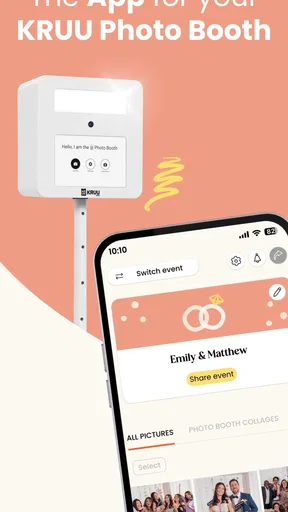
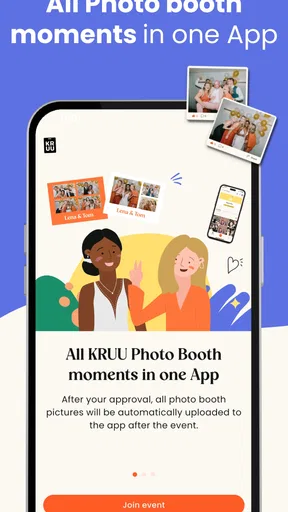
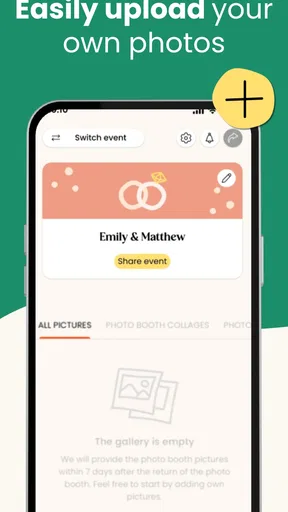
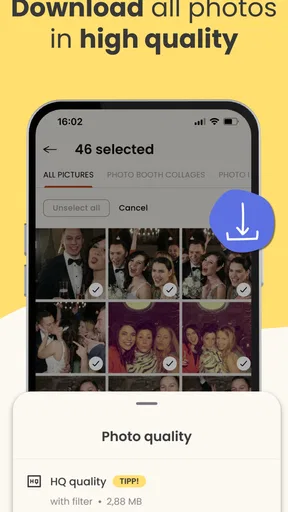
Our Review of KRUU
 Analysis by Appyee
Planning an event is rarely difficult because of one huge task. It is difficult because small details keep moving: a guest needs the address again, someone asks what to bring, photos are scattered across several chats, and the person organizing everything becomes the unofficial memory of the day. KRUU is an events app from KRUU GmbH that tries to bring those loose ends into one shared place. After using it, I see its main value less as a flashy planning tool and more as a way to keep an event’s information and memories connected.
The app is free, aimed at Teen users, and available for devices running Android 7.0 or later. It has reached over 500 thousand installs and holds a 4.8 average from around three thousand ratings, which suggests that its straightforward approach appeals to people who want event organization without building a complicated system themselves. The current version is 3.6.2, and the app was released on March 29, 2023.
One shared place for planning and remembering
The capability I found most meaningful is the way KRUU treats an event as something that has a life before and after the actual date. Many event tools concentrate on invitations, while messaging apps concentrate on conversation. KRUU sits between those habits: it is designed to help people prepare a gathering, stay connected around it, and preserve what happened afterward.
That sounds simple, but it changes the organizer’s role. Instead of repeatedly sending the same details to different people, I can direct everyone toward the same event space. Instead of asking guests to search through old messages for pictures later, the event can also become a shared memory point. The real strength is continuity: planning information and post-event memories remain tied to the same occasion.
This makes the app particularly relevant for weddings, birthdays, family celebrations, group trips, reunions, and other gatherings where the guest list matters as much as the schedule. It is not trying to replace every specialist service. Rather, it offers a focused home for the social side of an event, especially when the organizer wants something more orderly than a group chat but less formal than a full project-management platform.
What changes when the event has its own space
In a normal chat, useful information quickly disappears under reactions, jokes, unrelated questions, and new messages. A dedicated event space gives the occasion a clearer identity. Guests know where to look for the relevant conversation, and the organizer does not have to keep recreating context every time a new person joins the discussion.
I also like the psychological difference. A group chat feels temporary and noisy; an event-focused app encourages people to think in terms of one shared occasion. That can make participation feel more intentional. Guests are not merely replying to a message. They are contributing to the event’s planning and, later, to its record.
There is a tradeoff here. A separate app only helps if guests are willing to use it. If a group already communicates comfortably in WhatsApp, iMessage, Signal, or another familiar service, some people may resist adding another destination. KRUU therefore works best when the organizer introduces it early and explains why it is useful, rather than treating it as an optional extra after every other communication channel is already active.
How I would use it before the gathering
I would begin by creating the event and establishing it as the main reference point for the group. The important habit is not to duplicate every update everywhere. If the address, timing, or practical instructions change, I would place the current version in the event space and send a short reminder elsewhere telling people where to check. That keeps the app useful instead of turning it into another copy of an already crowded chat.
For a birthday, this could mean using the event area for the basic plan, questions from guests, and shared contributions. For a family reunion, it could provide a common place for relatives who do not normally talk every day. For a wedding, it could help keep guests aligned around the celebration while avoiding the need to give every detail to every person repeatedly.
One useful workflow is to separate decisions from discussion. I would use the event area for confirmed information and keep open-ended conversation focused on what still needs an answer. That distinction prevents the final plan from becoming buried. It is a small organizational choice, but it is the kind of choice that makes a lightweight app feel much more effective.
Another practical tip is to think about the event from a guest’s perspective before inviting everyone. If a person opens the app and immediately sees a clear purpose, they are more likely to participate. If the space is empty or unclear, they may return to the familiar group chat. KRUU cannot solve poor event organization by itself; it gives that organization a place to live.
The everyday scenario where it makes the most sense
Imagine a family arranging a weekend celebration. One person is coordinating the timing, another is bringing food, several relatives need directions, and everyone wants to share pictures afterward. In a conventional chat, the organizer may answer the same questions several times while photos and logistical messages compete for attention. With KRUU, the event becomes the shared anchor.
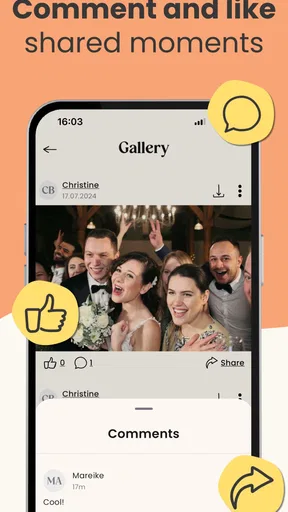
The organizer can treat the app as the family’s noticeboard before the day and as its album-like gathering point afterward. A relative who joins the conversation late has a better chance of understanding the occasion without reading an entire message history. Someone who could not attend can still remain connected to the event’s shared record, depending on how the group chooses to use it.
This is where the app’s “plan, celebrate, remember” idea has practical weight without needing complicated tools. The event is not finished when the guests leave. The same space can continue to matter because the emotional value of a celebration often arrives later, when people revisit photos, comments, and shared moments.
For a small gathering, that continuity may be more valuable than a long list of planning functions. The app helps preserve the identity of the event instead of letting it dissolve into separate messages and camera rolls. I would especially consider it for occasions where guests are spread across different circles and do not already share one natural communication channel.
Where it differs from ordinary alternatives
Group messaging apps are usually faster for spontaneous conversation. Almost everyone already knows how to send a message, share a picture, or ask a question there. If the event is informal, short-lived, and limited to a close group, a regular chat may be the more convenient choice. KRUU asks people to adopt an event-centered habit, so its benefit grows with the importance and complexity of the gathering.
Calendar apps are better at personal scheduling and reminders. They can tell me where I need to be and when, but they do not naturally capture the social story around the occasion. KRUU is more suitable when the event is shared rather than merely placed on one person’s calendar.
Project-management tools offer stronger task structures, deadlines, and assignments. I would choose one of those for a conference, a volunteer operation, or a large production involving many responsibilities. KRUU feels better for personal and community celebrations, where the atmosphere, participation, and memories matter more than formal task tracking.
Photo-storage services are also useful after an event, but they usually begin with images rather than the event itself. KRUU’s distinctive angle is that the memory-sharing stage is connected to the planning stage. That connection is the reason I would choose it over simply creating a shared folder once the celebration is over.
The friction I noticed in real use
The biggest limitation is adoption. Every guest already has a preferred way to communicate, and not everyone wants an app for each invitation or celebration. The organizer may need to explain the purpose clearly and remind people to return to the event space. If the group is very small and already active in one chat, KRUU may feel like an unnecessary detour.
There is also a risk of fragmentation if the organizer continues posting important updates across several services. The app works best when it is treated as the source of truth for the event. If half the guests receive changes in one chat and the rest find them in KRUU, the problem is not solved; it has simply gained another layer.
I would also avoid expecting it to behave like a professional event-management suite. Its appeal is its social focus and approachable structure. Anyone who needs detailed budgeting, formal registration, complex schedules, or advanced team accountability should look for a specialized service instead. KRUU is strongest when the event needs coordination with a human, communal feel.
Another consideration is audience fit. Because the content rating is Teen, it is not positioned as a children’s-only tool. That does not make it unsuitable for family events, but adults organizing gatherings for younger children should still think carefully about who is invited, what is shared, and how the group communicates. The app can provide a central space, but sensible event boundaries remain the organizer’s responsibility.
Finally, the app’s value may not be obvious on the first day. Planning tools are often judged by immediate convenience, while KRUU gains some of its appeal after the event, when the shared record becomes meaningful. Someone looking only for a quick invitation message may not notice the advantage. Someone who regularly loses photos and details across multiple conversations is more likely to appreciate it over time.
Small habits that make the app more useful
I would keep the event name and purpose unmistakable. A precise label helps guests recognize the right gathering, especially if they participate in several events. I would also avoid filling the space with every passing thought. Confirmed information should be easy to distinguish from ideas still being discussed.
For shared memories, I would encourage guests to add material while the event is still fresh rather than waiting weeks. That creates a more complete record and reduces the chance that pictures remain scattered on individual phones. The best result comes when participation is invited naturally: a brief request to share a favorite moment works better than making the app feel like an obligation.
For organizers, the most valuable discipline is closing the loop. After a change is made, I would make sure guests know where the latest information is. After the event, I would return to the same space to collect memories. That two-stage habit is more important than any single button because it turns KRUU from an invitation tool into an ongoing event companion.
I would also choose the app selectively rather than using it for every minor plan. A coffee meet-up with three friends probably does not need a dedicated event space. A milestone celebration with guests from different parts of my life does. Matching the app to the social weight of the occasion prevents unnecessary complexity and gives the shared space a clear reason to exist.
Who will get the most from KRUU
KRUU is a strong fit for people who regularly organize meaningful gatherings and want one place for guests to stay connected. Families arranging celebrations, couples preparing important occasions, community groups planning social events, and friends coordinating trips are the audiences I would point toward first.
It is especially useful for an organizer who is tired of answering repeated questions or collecting photos from several disconnected sources. The app gives that person a way to make the event feel shared instead of personally managed. Guests can participate in the occasion rather than relying on one coordinator to carry every detail.
I would be more cautious recommending it to someone who only needs a basic invitation, a personal calendar entry, or a highly structured task system. In those cases, a familiar messaging app, calendar, or professional planning service may be faster and more appropriate. KRUU earns its place when the event has a social story that deserves to remain together.
My final view after using it
What I appreciate about KRUU is its clear understanding that an event is not just a date and location. The planning creates anticipation, the gathering creates shared experiences, and the memories give the occasion a longer life. By connecting those stages, the app offers something more thoughtful than a disposable invitation and less heavy than a formal management platform.
It is not the right answer for every group. Guest adoption, duplicated communication, and the lack of a professional planning focus can all reduce its usefulness. I would not install it simply because every event needs an app. I would install it when the gathering matters enough that I want its practical details and shared memories to remain in one recognizable place.
At no cost, KRUU is easy to try for a significant celebration, particularly if the organizer is prepared to make it the main home for the event. The developer, KRUU GmbH, has built an app with a focused purpose rather than an overloaded toolbox. My recommendation is straightforward: use it for occasions where people need to prepare together and remember together; skip it for quick plans that a normal chat already handles perfectly.
Privacy and Permissions
See what permissions an app requests and how it handles your data.
- Location
- approximate location (network-based), precise location (GPS and network-based)
- Photos/Media/Files
- read the contents of your USB storage, modify or delete the contents of your USB storage
- Storage
- read the contents of your USB storage, modify or delete the contents of your USB storage
- Camera
- take pictures and videos
- Microphone
- record audio
- Wi-Fi connection information
- view Wi-Fi connections
- Other
- view network connections, change network connectivity, connect and disconnect from Wi-Fi, full network access, run at startup, control vibration, prevent device from sleeping, modify system settings
Verdict
Strengths of KRUU
- Simple way to create and manage event invitations
- Useful RSVP tracking keeps guest responses organized
- Supports event updates when plans or details change
- Helps centralize guest information in one place
- Convenient for private parties, weddings, and group events
Limitations of KRUU
- Some features may require a paid plan or premium upgrade
- Guests may need the app or a link to respond properly
- Limited usefulness if your event has very few invitees
- Customization options may not satisfy users seeking unique designs
- Dependence on internet access can affect event management
Similar Picks in This Category
View All
Easy Quran Mp3 Audio Offline
Muslim Worldapp4.7

Invitation Maker: Cards & RSVP
Greetings Island4.9

StubHub - Live Event Tickets
StubHub4.3

Fever: Events & Tickets
Fever Labs4.7

Epic Freebie Games Radar
Arioch Pds - Apps & Games4.4

Invitation card Maker, Design
Splendid App Maker4.9
Frequently Asked Questions
What is KRUU and what can I use it for?
KRUU is a platform designed to help users organize and manage group activities, events, or shared experiences in one place. Depending on the version and region, it may offer tools for creating events, inviting participants, sharing information, coordinating plans, and communicating with other members. Before downloading, check the app’s current description to confirm which features are available on your Android or iOS device.
Is KRUU free to download and use?
KRUU may be available as a free download, but some functions could require payment, a subscription, or fees connected with specific events and services. The exact pricing structure can vary by country, platform, and the organizer’s settings. Review the in-app purchase information and the terms shown in the official store before registering or entering payment details.
Do I need to create an account to use KRUU?
An account may be required for important functions such as creating an event, joining a group, receiving invitations, managing bookings, or communicating with other participants. Registration commonly involves an email address, phone number, or third-party login. If you prefer not to share personal information, read the privacy policy and account requirements before completing the setup process.
Is KRUU safe and suitable for sharing personal information?
KRUU can involve sharing details such as your name, contact information, event participation, messages, or location-related data, depending on how you use the service. Use a strong, unique password and avoid posting sensitive information in public or group areas. Check the developer’s privacy policy, permissions, and available account controls so you understand how your data is collected and shared.
Does KRUU work on both Android and iPhone?
KRUU’s availability depends on the official app-store listing and the supported operating-system versions. If an Android or iPhone version is provided, installation requirements may still differ by device, region, and software version. Before downloading, confirm that your phone meets the listed requirements and that the app is offered in your country. Keeping your operating system updated can also improve compatibility and stability.
